
RFID label and ticket printing software
Rocket Print RFID Printing Software
Manage high-volume RFID label and ticket printing with automatic EPC serialization, printer-native batch workflows, variable data, order-coupled templates, and RFID encoding.
Product role
Rocket Print is the software layer for RFID print workflows
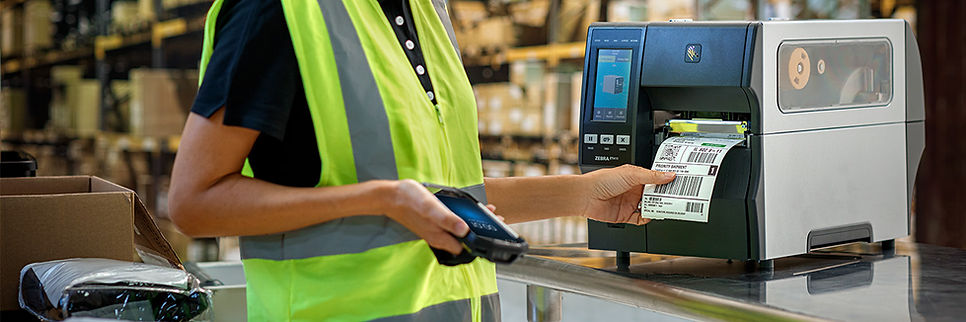
Rocket Print supports RFID label and ticket printing workflows where print jobs, templates, variable data, encoded identifiers, printer behavior, and exception handling need to be managed together.
RFID printers covers hardware selection, media fit, encoder behavior, and printer concepts. Rocket Print manages the software workflow that sends the right job data to the print and encode process.
Capabilities
Rocket Print capabilities for label and ticket workflows
Product differentiation
Why Rocket Print is different
Rocket Print is built for production RFID label and ticket workflows where the encoded identity, printed text, source data, and downstream process must stay synchronized at volume.
Workflow
From job data to printed and encoded labels
- Print job request or data file is prepared
- Template and variable fields are selected
- RFID values are mapped to records
- Printer and media settings are confirmed
- Labels or tickets are printed and encoded
- Exceptions, failed encodes, or reprints are handled
Retail and ticket workflows
RFID price tickets and variable label data
Retail RFID workflows often need human-readable print, barcode data, and encoded RFID data to agree. Rocket Print can be relevant when price tickets or labels are produced from structured data and must remain aligned with the item, order, carton, or shipment workflow.
When the printed and encoded labels are used for outbound verification,Rocket Shipped may be part of the downstream shipment workflow.
Planning
What to define before a Rocket Print workflow
The implementation should confirm the label or ticket format, input data, template rules, encoded identifier strategy, serialization model, printer hardware, RFID media, verification process, reprint behavior, and integration needs before production use.
Rocket Print
Discuss a Rocket Print Workflow
Share the print volume, label or ticket format, input data, RFID media, printer hardware, encoding requirements, and downstream workflow.